Fast Caching
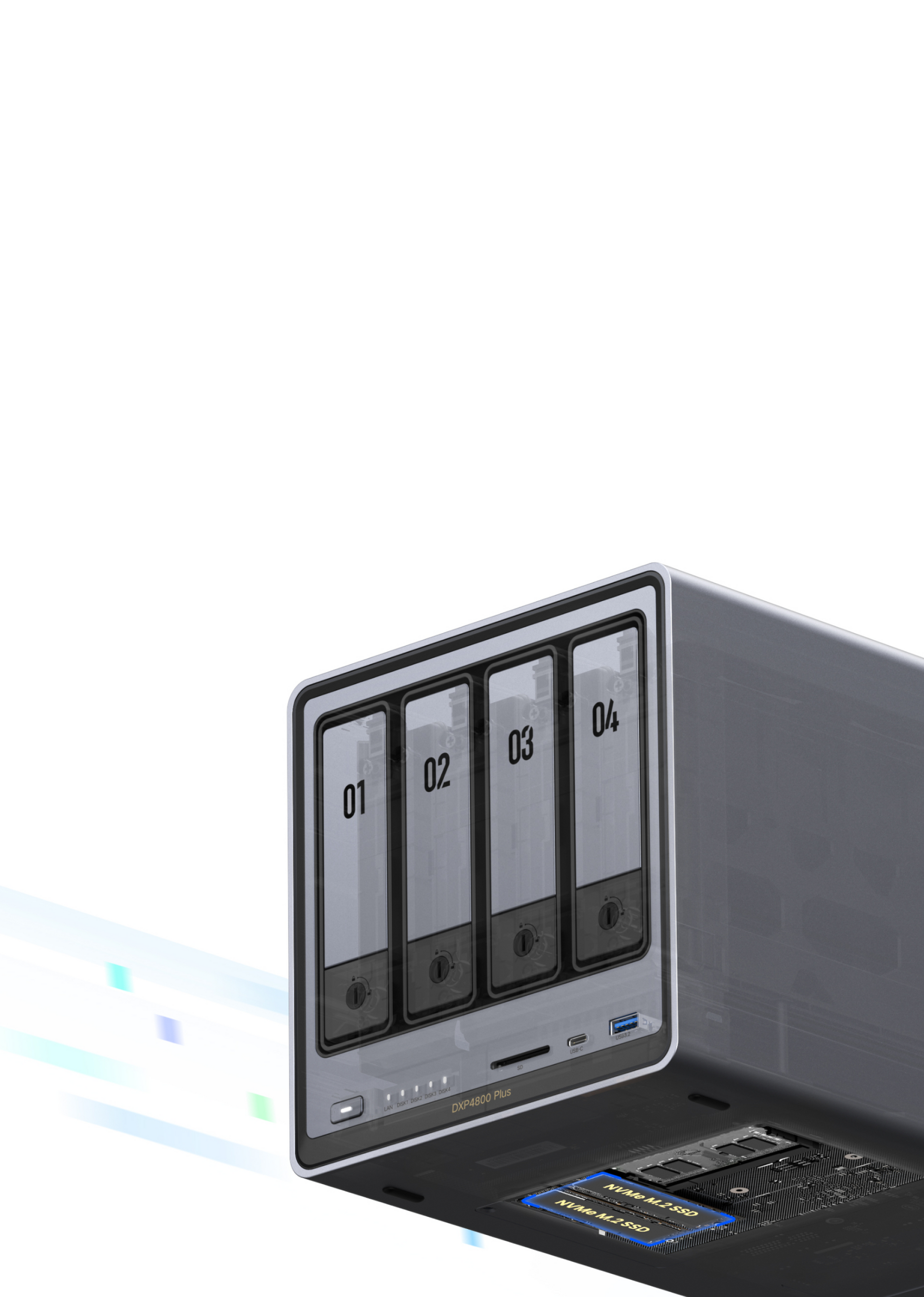
NASync features two M.2 NVMe slots for high-speed SSDs, significantly boosting read and write speeds for enhanced performance.
Votre panier est vide
Continuer les achatsVous possédez un compte ?
Connectez-vous pour payer plus vite.

Order Processing: Generally 1-3 business days.
Shipping & Delivery: Generally 3-8 business days.
*Please note that timelines may be extended under the following circumstances:
-Pre-orders for new products (see product page for details)
-Peak seasons (e.g., holidays, major sales promotions)
-Severe weather, remote delivery addresses, or carrier disruptions
*Please check our Shipping Policy for more details.

We offer a 30-day price guarantee for all products purchased on UGREEN NAS official website (nas-eu.ugreen.com). If you find the same model available at a lower price on this website within 30 days of your purchase, we will refund the difference.
Important Disclaimer: This guarantee does not apply to special offers (such as cashback, bonuses or bundled offers), out-of-date or second-hand items, prices offered by third parties, or unauthorized distribution channels.

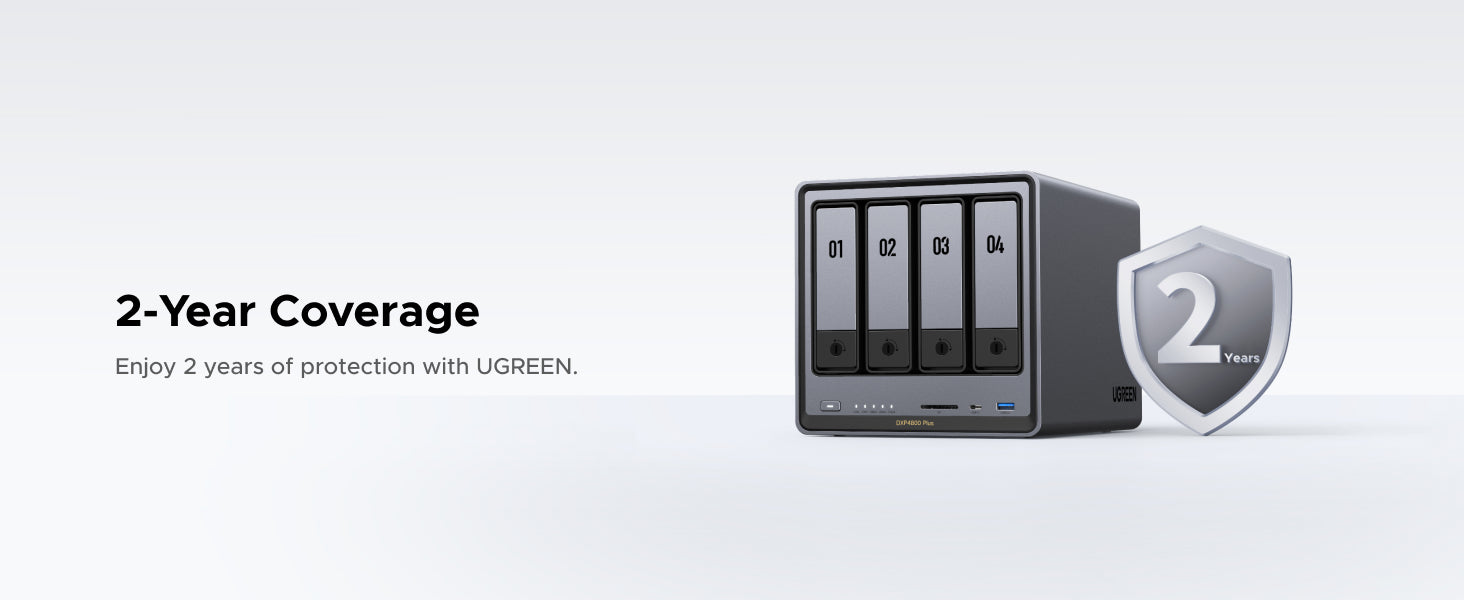
We guarantee this product with a 2-year warranty against manufacturing defects. We cover all malfunctions caused by material or workmanship issues under normal use. Please note that accidental damage or improper care is not covered.
*Please check our Warranty Policy for more details.

You may return your purchase for a full refund or exchange within 30 days of receiving the product. Depending on product availability, items may be exchanged for an item of equal value. Please note that items must be unused and returned in original packaging with all accessories.
*Please check our Return Policy for more details.

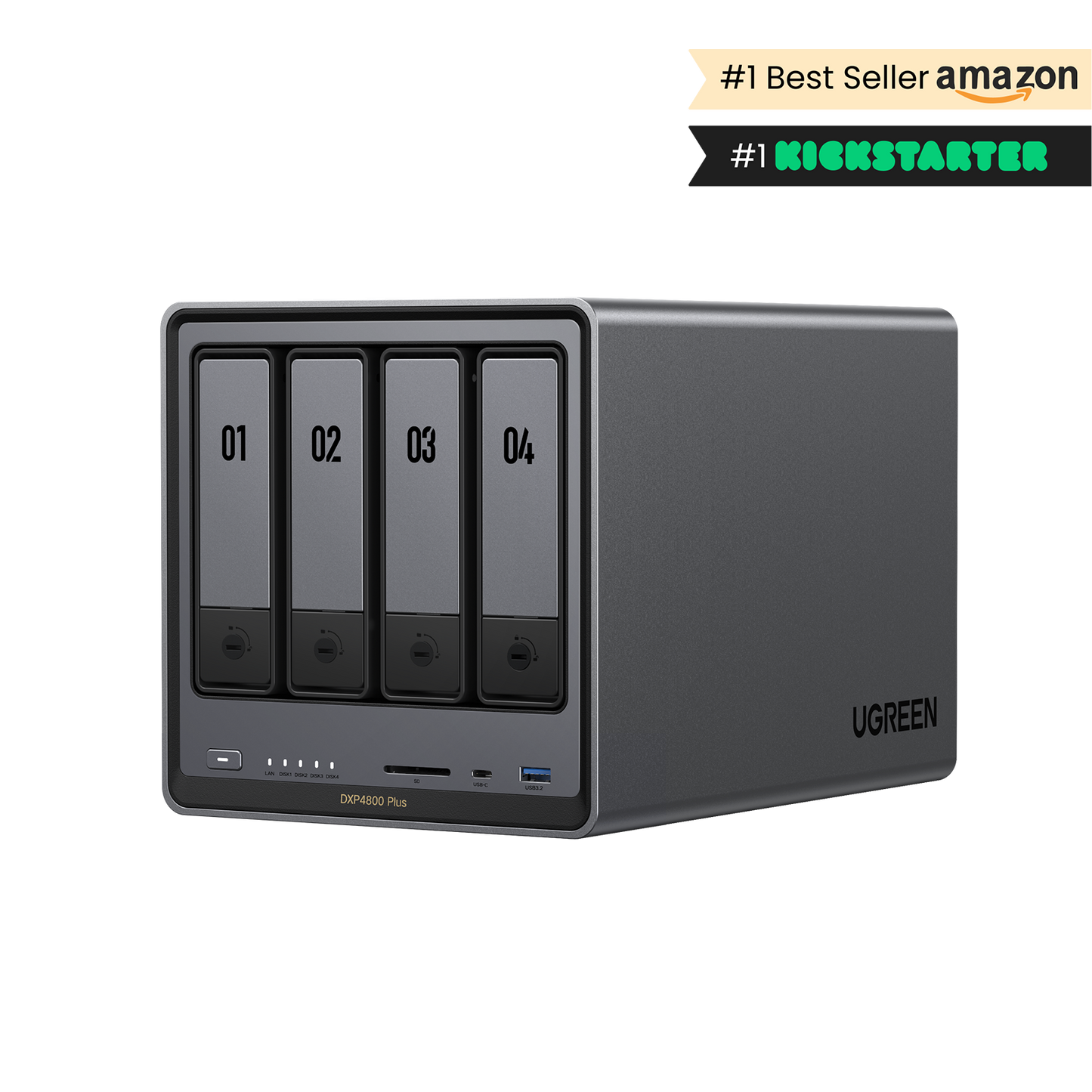


 Flagship 4-Bay NAS: High Performance & Massive Storage
• Learn more about 120W DC UPS and M.2 NVMe SSD.
Impossible de charger la disponibilité du service de retrait
 Shipping & Delivery Timeline
 30-Day Price Match
 2-Year Product Warranty
 30-Day Returns




Subscription
Data Security
Upload and Download Speeds
Easy to use
Free
High
File sync & backup
Permission management
Real-time scan
Fast & Stable

Paid
Limited
Cloud provider outage
Lost file access rights
Limited & Unstable

--
Low
Hardware damage
Fast
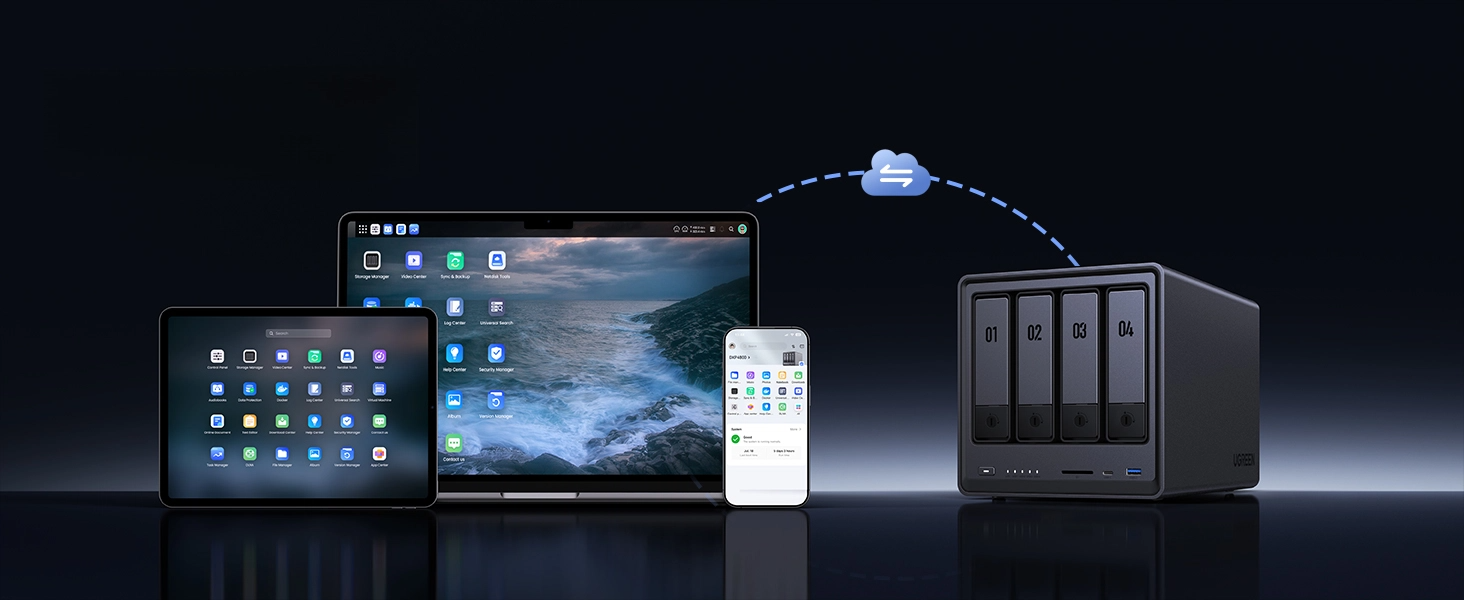


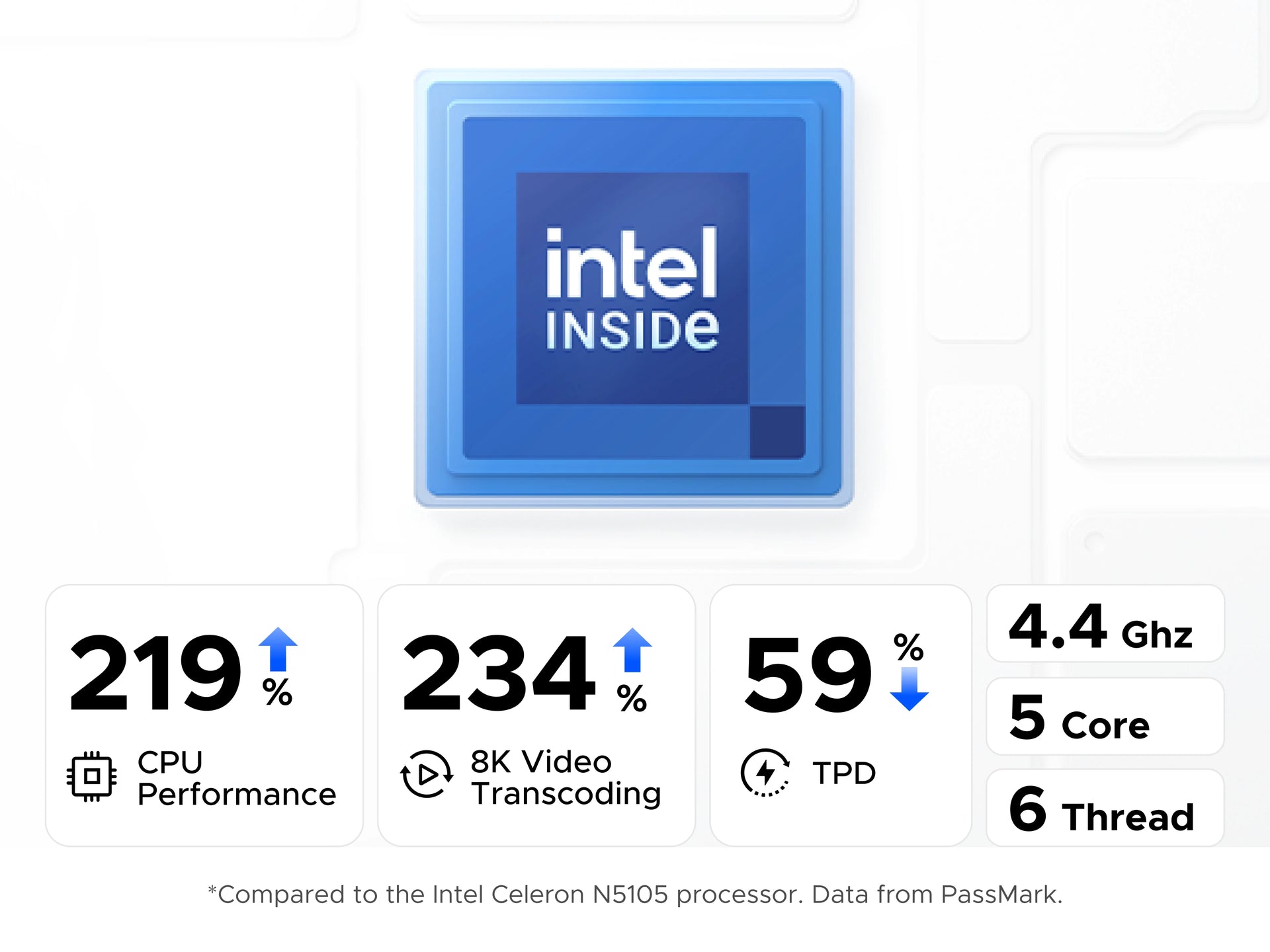

The 12th Gen Intel Pentium Gold Processor 8505 offers robust performance for 4K streaming, multi-user access, and fast backups, all while maintaining low power consumption.
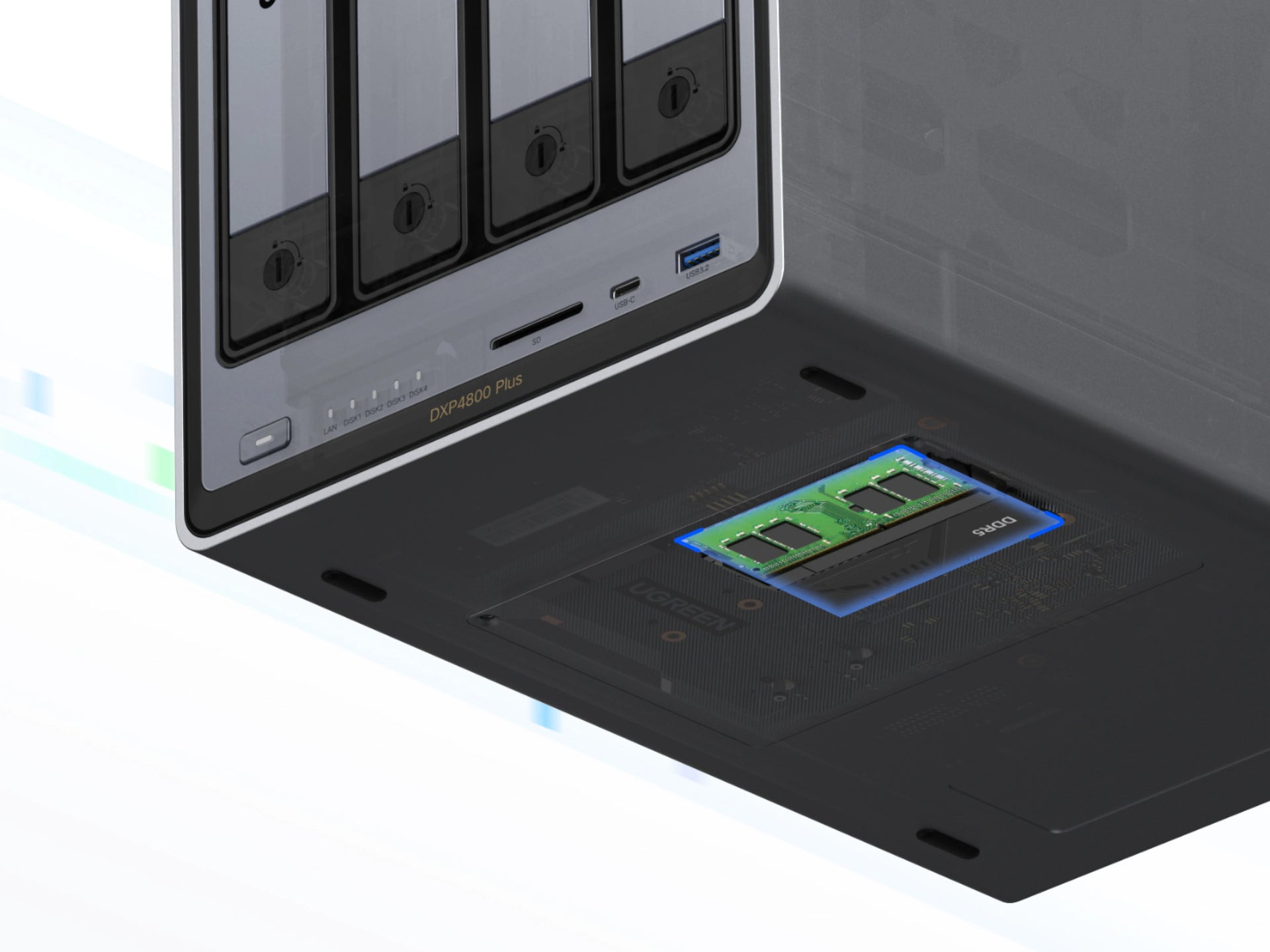

With super-fast 8GB DDR5 RAM (expandable up to 64GB), this NAS can stand up to your very toughest demands for multitasking and running complex applications.
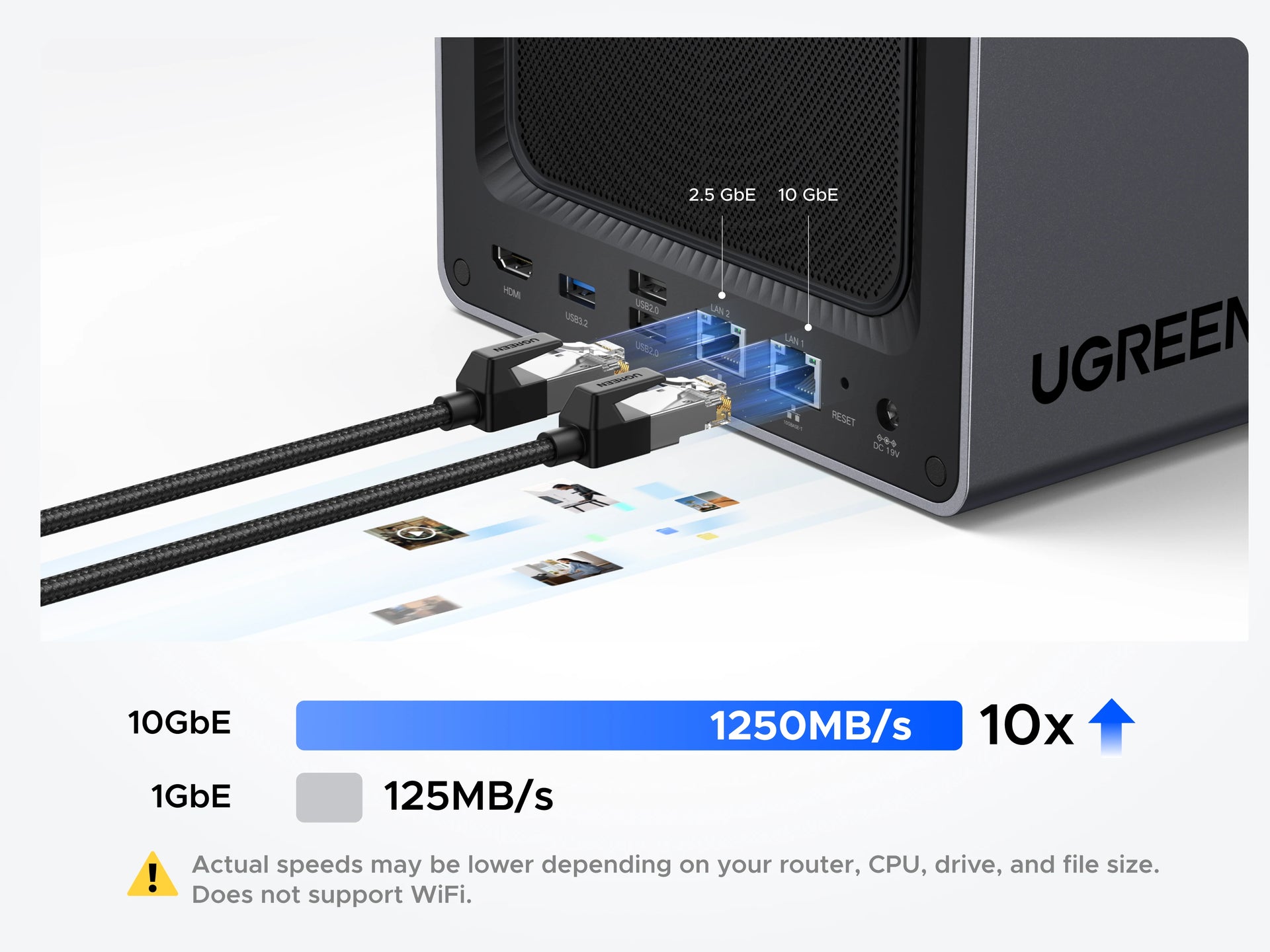

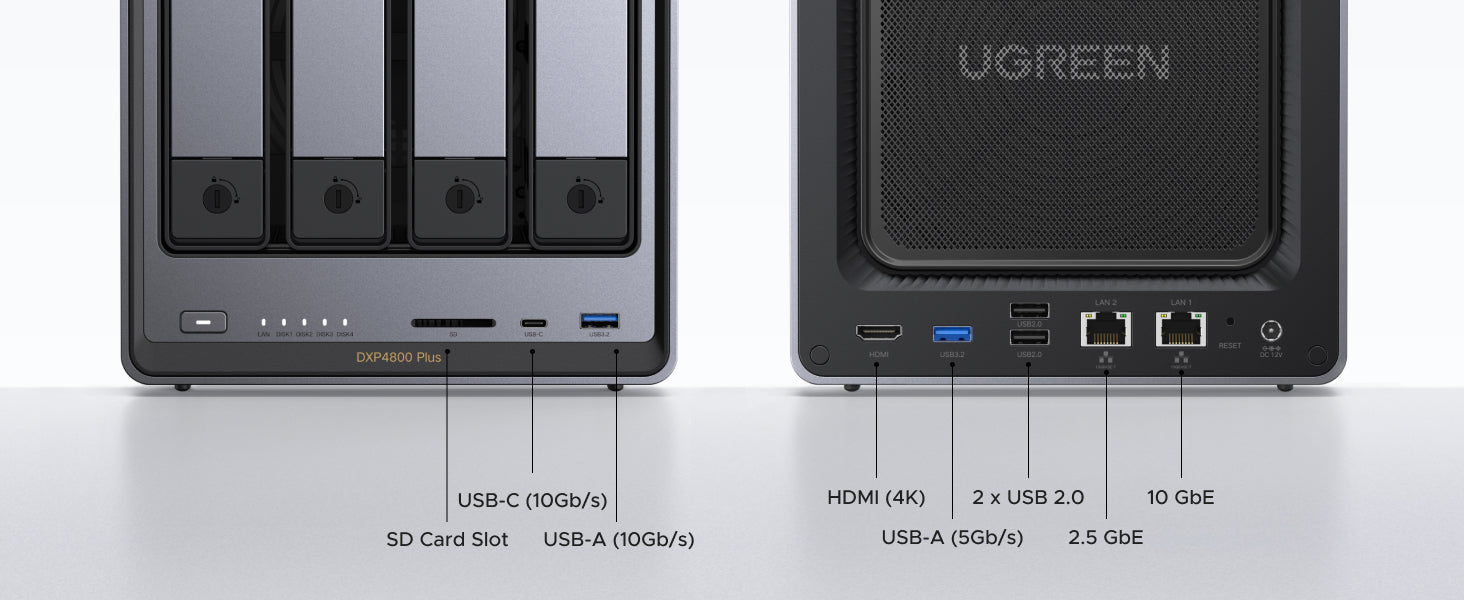
Featuring 1x 10GbE and 1x 2.5GbE network ports, this delivers transfer speeds up to 1250MB/s - enabling 1GB file backups in under a second and offering 10x the speed of standard 1GbE ports.


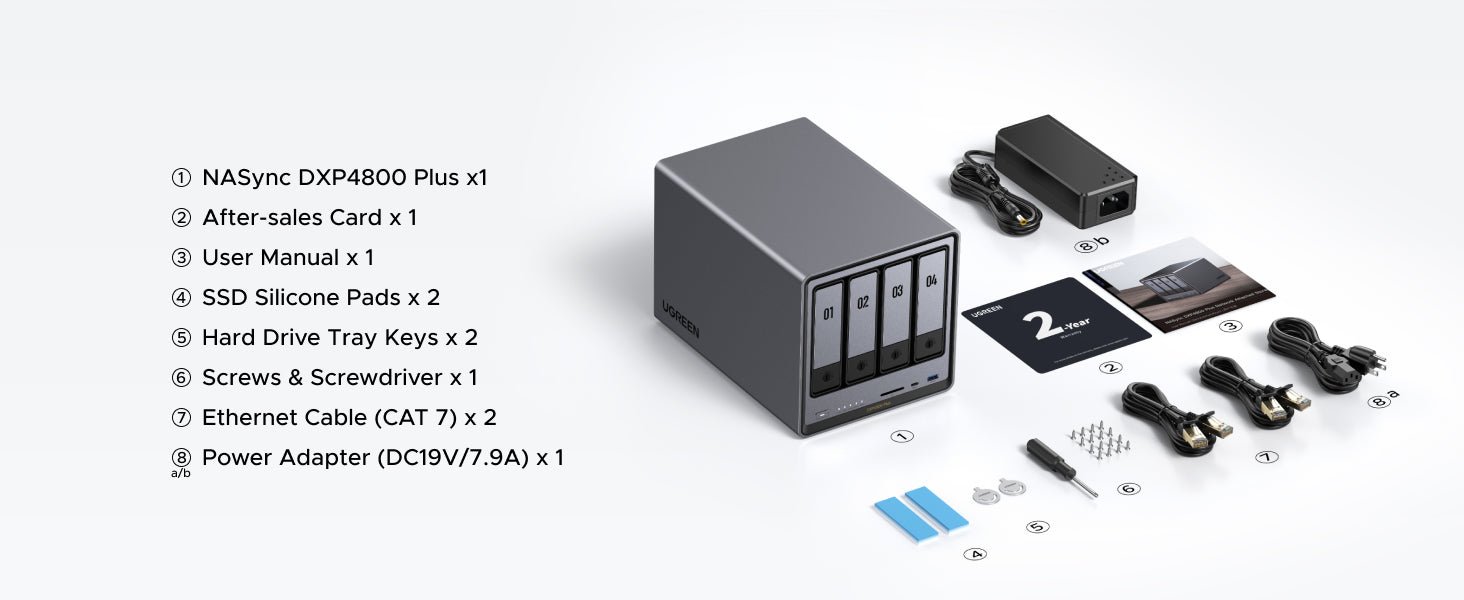
No. The UGREEN DXP4800 Plus is sold as a diskless NAS, so storage drives are not included. Before buying HDDs or SSDs, check the official HDD/SSD compatibility list to choose tested drives for this model.
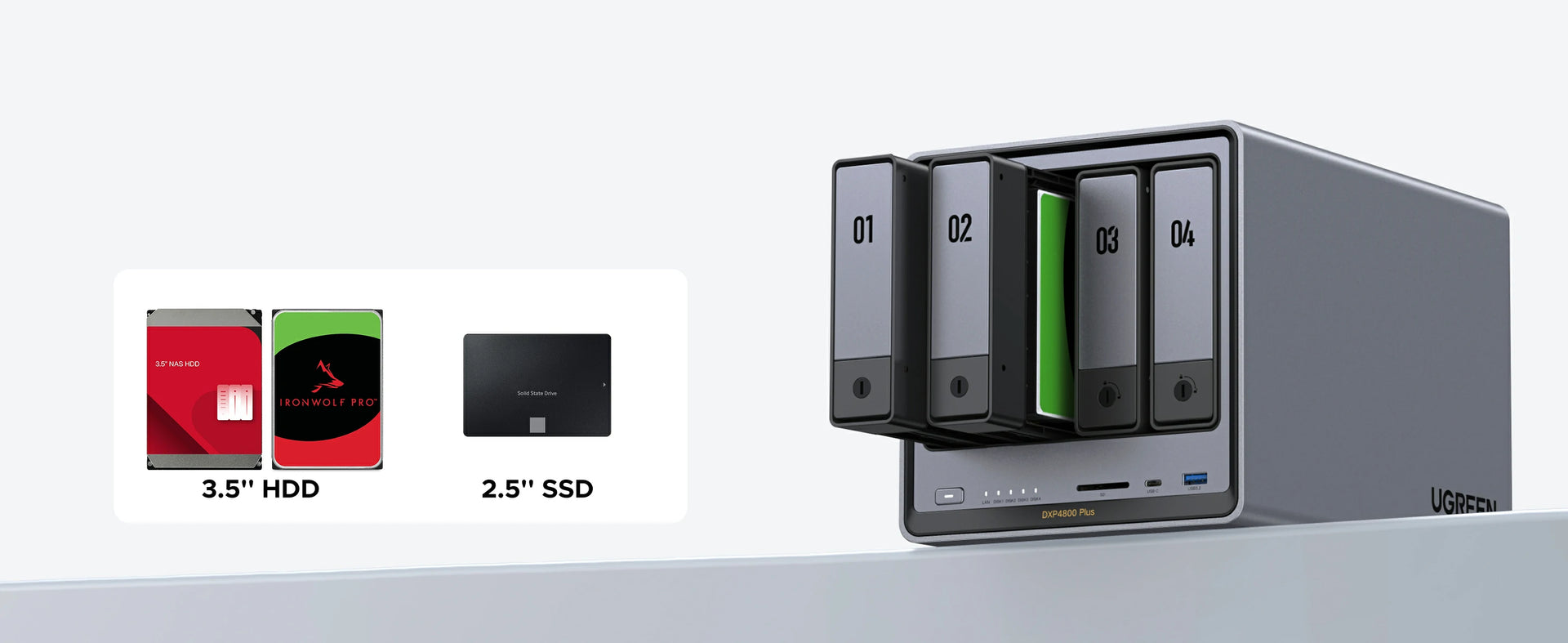
For the four SATA HDD bays, we recommend NAS-rated CMR drives:WD Red Plus or Red Pro,Seagate IronWolf or IronWolf Pro, or Toshiba N300. For the two M.2 NVMe SSD slots, popular choices include the Samsung 980 Pro,WD Black SN5000, or any PCIe Gen 4 NVMe drive on our compatibility list.
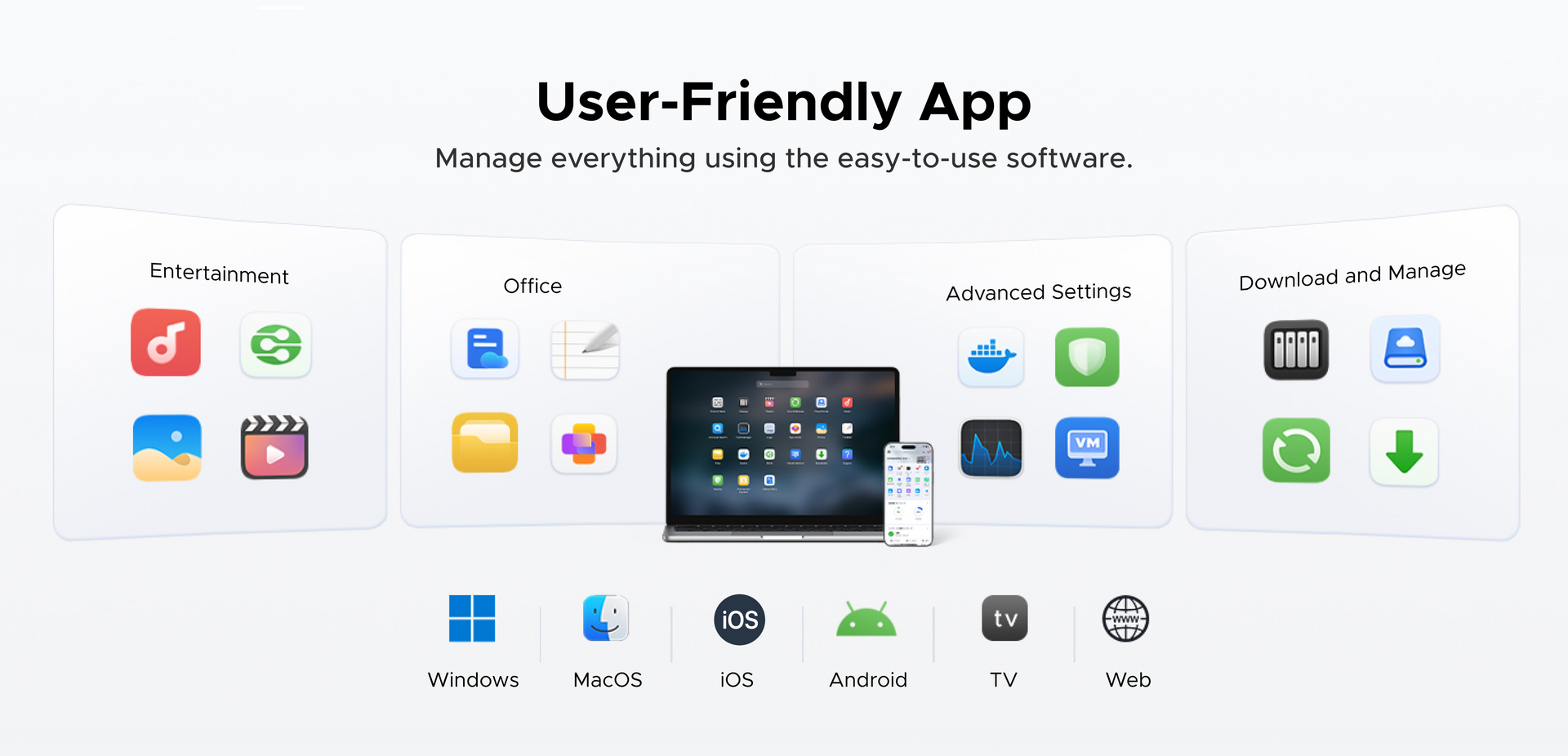
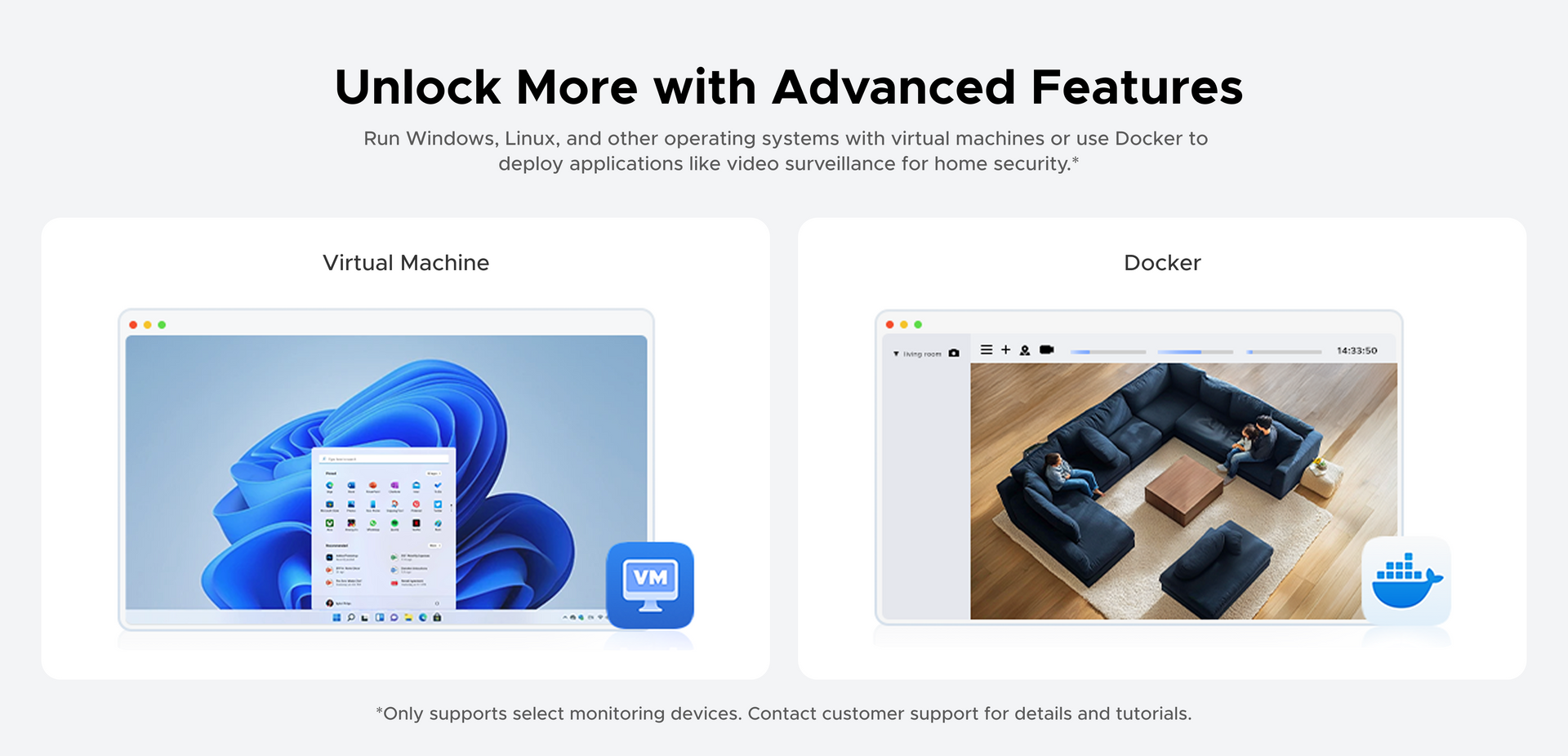
Yes. Docker is fully supported via the UGOS Pro App Center. You can install and manage Docker containers directly from the web interface, with no command line required for basic setups.
DXP4800 Plus capable of running a wide range of Docker containers simultaneously. Popular choices include: Home Assistant (smart home automation), Pi-hole (network-wide ad blocking), Nextcloud (private cloud and file sync), Vaultwarden (self-hosted password manager), Immich (Google Photos alternative), and Portainer (Docker management UI). See our guide on essential NAS apps for more recommendations.
For power users, SSH access is also available for advanced Docker Compose workflows and more direct system control.
Yes. The Intel Pentium Gold 8505 includes Intel UHD graphics with Quick Sync, which enables hardware-accelerated transcoding for Plex. In real-world use, it handles multiple simultaneous 4K-to-1080p transcodes smoothly. Plex is installed via Docker — our Plex NAS setup guide provides a step-by-step walkthrough including the correct Docker configuration and folder mapping.
For most users with four drives, RAID 5 is the recommended choice. It provides a strong balance of usable storage (you lose the equivalent of one drive to parity), read performance, and single-drive failure protection. For example, four 8 TB drives in RAID 5 give you approximately 24 TB of usable space. If maximum safety is the priority and you can afford the storage trade-off, RAID 10 tolerates two drive failures (in different mirrors) and offers excellent read/write speed. Our RAID guide covers every configuration in detail, and you can model your exact setup with the RAID Calculator.
If you primarily use Apple TV,Roku,or share with non-technical family, Plex is the safer choice. If you prefer no licensing costs and value privacy,Jellyfin is excellent.
Both work excellently on this hardware. Plex offers a more polished interface and broader device support (Roku, smart TVs, game consoles) but requires a Plex Pass ($120 lifetime) for full hardware transcoding. Jellyfin is completely free, open-source, and includes hardware transcoding out of the box. See our detailed Plex vs. Jellyfin comparison.
The two M.2 NVMe Slots serve two main purposes:SSD caching (accelerating reads/writes from the HDD storage pool by caching frequently accessed data on faster SSDs) or as a dedicated SSD storage pool (for workloads requiring maximum speed, such as running Docker containers, virtual machines, or editing active project files). For most users, SSD caching provides the best quality-of-life improvement. Our guide on mixing SSDs and HDDs covers both strategies in detail.
Both are 4-bay NAS units targeting enthusiasts and small businesses, but with key differences. The DXP4800 Plus uses a faster 5-core Intel Pentium Gold 8505 CPU (vs. the dual-core AMD Ryzen R1600 in the DS923+), includes a built-in 10GbE port (where Synology requires an extra 10GbE add-in card), offers 4K HDMI output (which the DS923+ lacks), and is typically priced around $620, while the DS923+ is roughly $600 before adding 10GbE.
Where Synology pulls ahead is in the maturity of its DSM software, its larger first-party app ecosystem, and its longer track record with enterprise features such as Active Backup for Business. If you prioritize raw hardware performance, 10GbE out of the box, and aggressive pricing, the DXP4800 Plus can offer better overall value for that use case.
All three are 4-bay NAS units with Intel processors, Docker support, and M.2 NVMe slots, but they differ in networking and processing power. The DXP4800 has dual 2.5GbE ports and an Intel N100 quad-core processor. The DXP4800 Plus upgrades to a 10GbE + 2.5GbE port combination and an Intel Pentium Gold 8505 five-core processor — a significant step up for multi-user access and large file transfers. The DXP4800 Pro further upgrades to an Intel Core i5-1235U ten-core processor for the heaviest workloads like multi-stream 4K transcoding and virtual machines. Choose DXP4800 for budget-conscious 2.5GbE setups, DXP4800 Plus for the best price-to-performance with 10GbE, and DXP4800 Pro for maximum processing headroom.
Yes, you can access your NAS storage remotely through several methods, each with different levels of security and ease of use:
VPNs
Most secure method using either built-in NAS VPN services or router VPN capabilities.
Direct connection method that requires router configuration.
The best method depends on your needs: choose VPN for security, or port forwarding for speed.
The NASync DH Series is great for beginners and home users purchasing a NAS for the first time. It offers massive storage, user-friendly features, and competitive specs at an accessible price.
The NASync DXP Series is built for enthusiasts, creators, and professionals. It delivers stronger processing power and supports advanced functions like Docker and virtual machines across all models.
1. Price Match Promise (Guarantee)
Confidence in Best Price: Shop with the assurance that you are getting the best price directly from NAS Ugreen official website. If, within 30 days of your order being placed, you find the identical model currently advertised on the official Ugreen website at a lower price, we will refund you the difference.
2. How to Claim: Simply contact our Customer Service team via the official website or live chat to initiate your claim. Please have the following information ready.
Product Eligibility:
-The product must be the exact same model (matching both product name and SKU) as the one sold on the official Ugreen NAS website (e.g., nas.ugreen.com).
-The product must be purchased via Ugreen NAS official website and It cannot be reconditioned (refurbished), used, damaged, open-box, a "clearance" item, or a demonstrator/show model.
3. Exclusions (What is not covered?)
Even if you are unsure, we encourage you to contact our customer support, and we will do our best to assist you. The following situations are typically excluded from the Price Match Promise:
-Offers that include cashback, bonuses, bulk purchase discounts, quantity limits, or are part of a bundle/package deal.
-Offers not available to the general public (e.g., special member-only events, club discounts, membership promotions, or trade discounts).
-Clearance sales, "seconds," refurbished, ex-demonstration, or display products.
-Products sold by third-party sellers on online marketplaces, auction sites, or classified ad platforms (such as eBay or Gumtree).
-Products supplied through unauthorized distributors or grey import channels.
-Products that require international shipping from overseas, which may incur additional shipping fees, duties, or import taxes.
-Advertised prices that are obvious pricing errors.
-Products priced significantly below the Recommended Retail Price (RRP) or prevailing market price.
| UGS | 35260 |
| Modèle | DXP4800 Plus |
| Langues prises en charge | English, Deutsch, Français, Español, Português, Italiano, 中文, 日本語 |
| Baies de chargement | Baie 4 (SATA) |
| Système opérateur | UGOS Pro |
| Modèle de processeur | 8505 |
| Marque du processeur & Architecture | Intel X86 12e génération Intel® Pentium® Gold 5 cœurs 6 threads |
| Mémoire (RAM) | 8 Go de DDR5 |
| ODECC | Soutenu |
| Mémoire vive extensible (max.) | 64 Go |
| Mémoire flash (disque système) | SSD 128 Go |
| Baies pour disques SATA | 4 |
| Emplacements pour disques SSD M.2 | 2 |
| RAID | JBOD/Basique/0/1/5/6/10 |
| Capacité de stockage maximale | 144 To (4 x 32 To + 2 x 8 To) |
| Ports LAN (RJ45) | 1 port 2,5 GbE, 1 port 10 GbE |
| Extension PCIe | - |
| 4 ports Thunderbolt™ | - |
| Ports USB haute vitesse (panneau avant) | 1 port USB-C, 1 port USB-A (tous deux à 10 Gb/s) |
| Ports USB haute vitesse (panneau arrière) | 1 port USB-A (5 Gb/s) |
| USB 2.0 (panneau arrière) | 2 ports USB-A (480 Mb/s) |
| Lecteur de carte SD | SD 3.0 |
| HDMI | 4K |
| Type de prise | Prise européenne |
| Dimensions du produit | 257 × 178 × 178 mm (L×l×H) |
| Consommation d'énergie | 42,36 O (accès au lecteur) 18.12 W (mise en hibernation du lecteur) |